Wednesday, September 18, 2024

Monday, September 16, 2024
5 Terms - Vocabulary
5 Terms - Vocabulary
Find the definition and also include an image.
1. Histogram
2. Focal Length
3. Metadata
4. Megabyte
5.Gigabyte

Artist of the Week- William Henry Fox Talbot

William Henry Fox Talbot, by John Moffat, 1864.
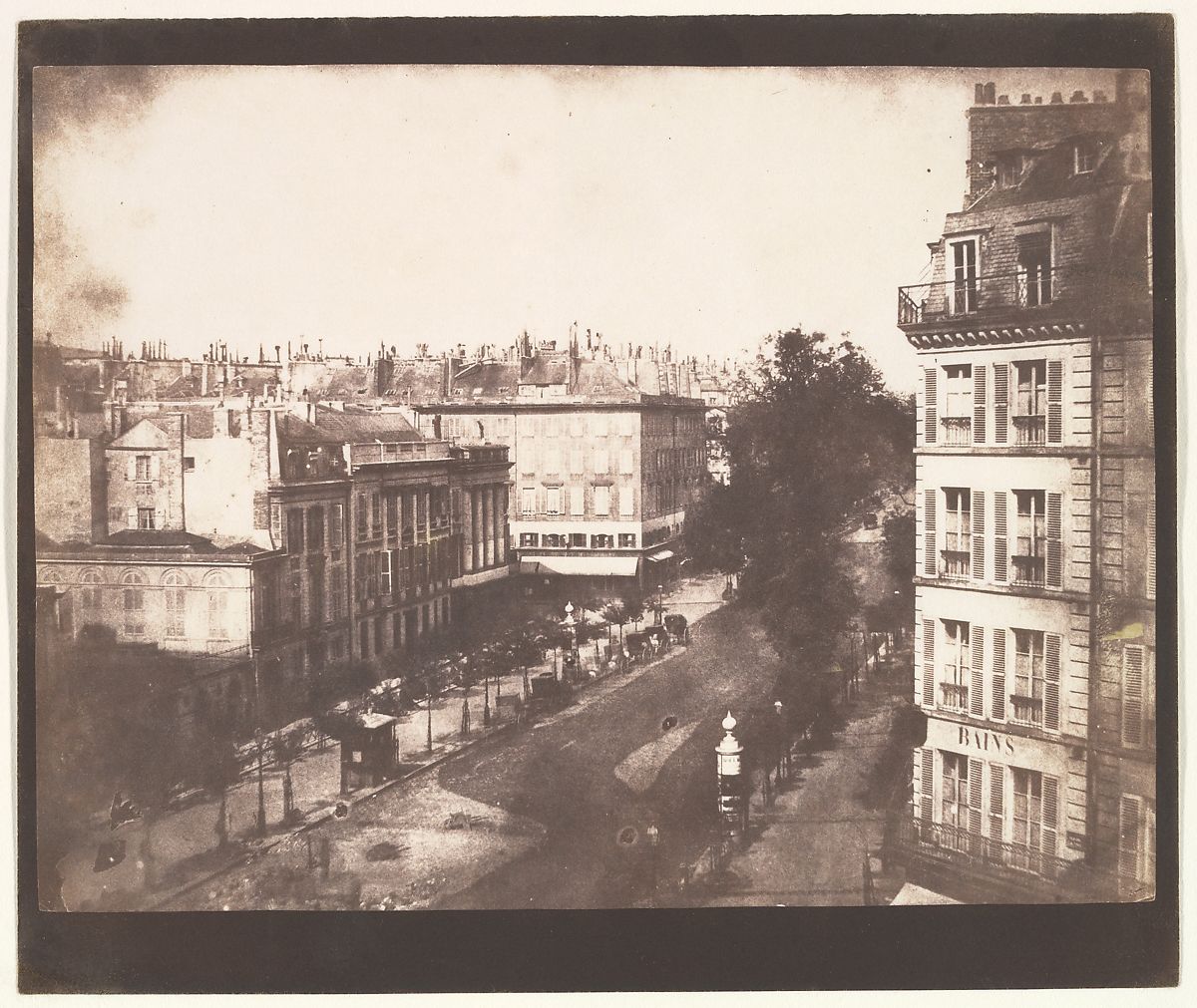
View of the Boulevards of Paris
William Henry Fox Talbot British

The photographic workshop in Reading, 1846
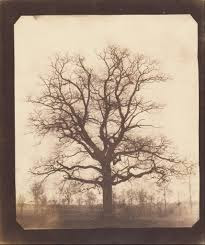
William Henry Fox Talbot (British - An Oak Tree in Winter )


Dandelion seeds (1858 or later)

Latticed window at Lacock Abbey, August 1835. A positive from what may be the oldest existing camera negative.
Exhibition Credits
Support for the exhibition is generously provided by the William Talbott Hillman Foundation.


https://cmoa.org/exhibition/talbot/


The Fruit Sellers was taken in September 1845 at Lacock Abbey in Wiltshire and the shot required the sitters to hold a pose for up to 10 seconds


Half Moon

William Henry Fox TALBOT - Asparagus Foliage, early 1840s


BODLEIAN LIBRARIES, UNIVERSITY OF OXFORD
Choose top 2 images .
Post to your website.
Answer the following questions
1. How’s the composition?
2. What do you find interesting about his work?
Thursday, September 12, 2024
Clone Stamp

After - clone stamp

Clone Tool Demonstration Rubric
| Criteria | 3 - Excellent | 2 - Satisfactory | 1 - Needs Improvement |
|---|---|---|---|
| Tool Selection | Correctly selects and uses the Clone Stamp tool with confidence. | Selects the Clone Stamp tool but demonstrates limited understanding. | Fails to select the Clone Stamp tool or uses an incorrect tool. |
| Customization | Effectively customizes tool settings (Size, Hardness, Blending mode) for desired effect. | Customizes some tool settings, but lacks effectiveness or precision. | Does not customize any tool settings or incorrect settings used. |
| Application Technique | Accurately sets a source point and seamlessly copies and paints content in the new area. | Sets a source point but has some difficulty with copying and painting content. | Struggles to set a source point and does not successfully copy or paint content. |
| Overall Effectiveness | Creates a polished and cohesive image using the Clone Stamp tool. | Image is somewhat cohesive but lacks polish or clarity. | Image appears disjointed or lacks any effective use of the Clone Stamp tool. |
How to use the Photoshop Clone Stamp tool.
Here’s how you can use the Clone Stamp tool to remove an unwanted area in an image while retaining the background.
Tuesday, September 10, 2024
3 edits in Lightroom

Use 3 images from your Weekly Challenge. Elements of Art.
Install lightroom on your machine.
Describe what process you used for each photo.
Subscribe to:
Posts (Atom)

-
 https://digital-photography-school.com/a-beginners-guide-to-focus-stacking/ Georgia Mya
 -
http://www.platonphoto.com/menu/ Questions on Platon's Photography 1. Describe how Platon views the role of the camera in his work....
-
 Studio Study of Light and Shadow. Egg Challenge. Top 5 Egg Photos. Using the DSLR photo...
